Comark for Mac
macOS 14+ · Apple silicon & Intel
Captures your Mac screen and receives annotated images from iPad.
Download for MacSigned with Apple Developer ID. Apple notarization is pending; macOS may block this preview from opening.
SCREENSHOT FEEDBACK, WITH ROOM TO THINK
Circle the detail. Write a note. Explain it in your own voice. Send your annotated screenshot back to your Mac or Windows clipboard.
Both Mac and Windows companions require an iPad with Comark installed. They cannot be used on their own.
iPad 0.2.3 (17) is on TestFlight, now with Apple speech recognition by default and Comark Pro purchases. Testing requires an invitation once processing completes. A public App Store download is not available yet.
SEE IT IN ACTION
WHAT COMARK DOES

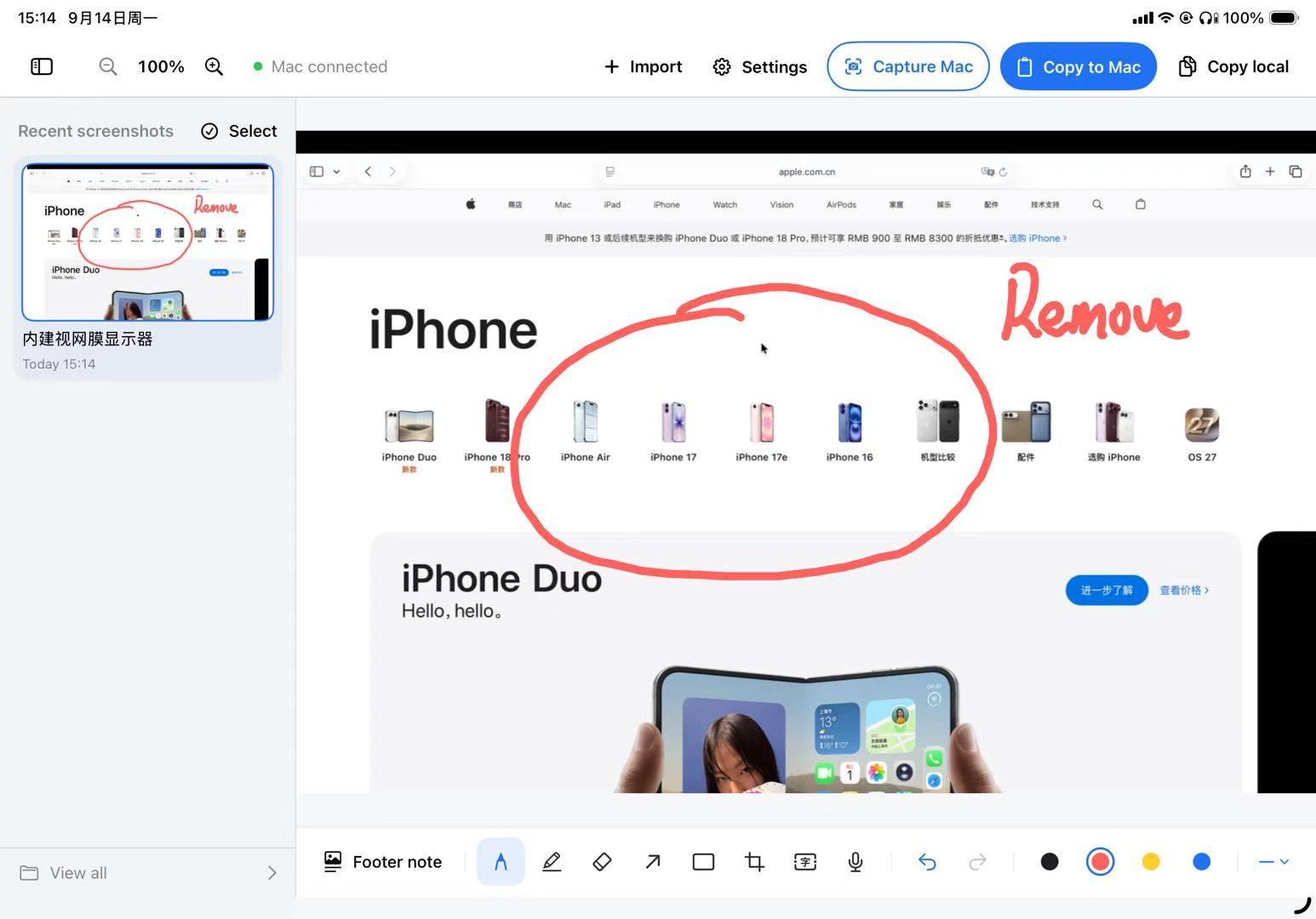
Draw directly on a live screenshot of your Mac or Windows PC, with Apple Pencil or your finger. Circle a button, sketch an arrow, write a word.
Pen, highlighter, shapes, text, and voice dictation. Each annotation stays editable until you copy.
One editable note per screenshot. Exported below the image without covering your canvas.

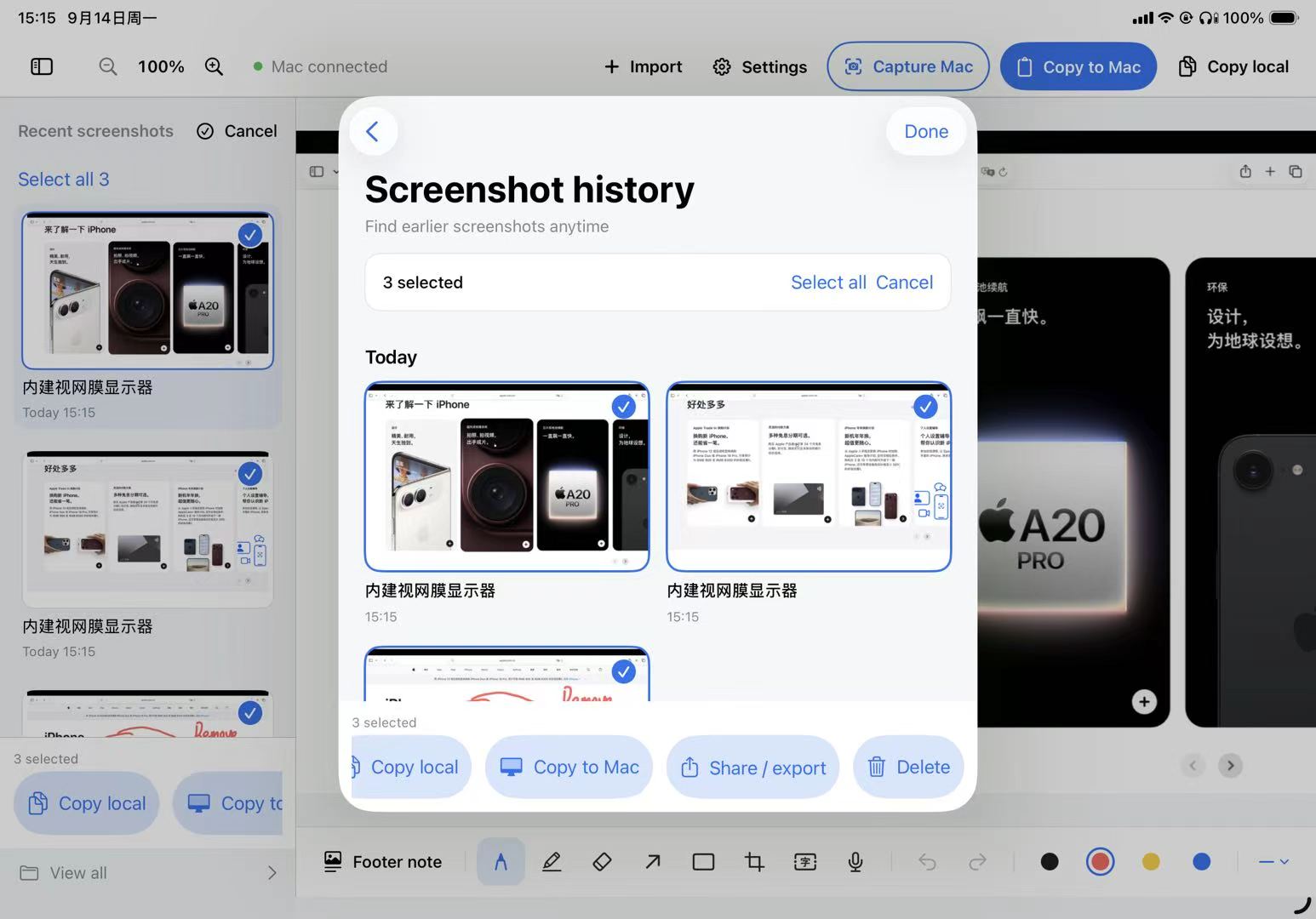
Select multiple screenshots. Copy them all to your computer's clipboard in one tap.
Your paired computer is remembered. After a refresh, sleep, or time offline, Comark reconnects on its own once you are back on the same network.
DESKTOP DOWNLOADS · v0.2.3
Hosted on our public GitHub Releases. No account or sign-in required.
macOS 14+ · Apple silicon & Intel
Captures your Mac screen and receives annotated images from iPad.
Download for MacSigned with Apple Developer ID. Apple notarization is pending; macOS may block this preview from opening.
Windows · Executable · No Python install
Comark on iPad finds this PC automatically on the same Wi-Fi network, pairs with a 6-digit code, and sends annotated screenshots straight to the Windows clipboard. Windows also runs a self-check and can request firewall access with UAC.
Download for WindowsUnzip and open Comark-Windows.exe. Run the self-check first; if firewall checks fail, click Fix network access and approve UAC. The build is not signed, so SmartScreen may confirm before opening.
BEFORE YOU START
Yes. Install the Comark iPad beta through a TestFlight invitation when available, then pair it with a desktop companion. Desktop downloads alone do not provide the full workflow.
Mac: a ZIP containing ComarkMac.app. Windows: a ZIP containing Comark-Windows.exe and instructions. Both are preview builds.
No account needed to download. The public repo has only product info and release packages. All source code remains private.
Screenshots transfer over local network between paired devices. Voice dictation sends audio to your configured provider, which may require an account and charge fees.